Excel + Power Query · Process automation
Multi-Branch HRMS Timesheet Automation
An interim Excel-based workflow that replaced scanned handwritten timesheets, consolidated weekly data from seven branches, and prepared one standardized HRMS feeder file.
Project overview
A practical bridge during an HRMS transition.
During an interim HRMS transition, a multi-branch building-materials company needed a more efficient way to collect and prepare employee timesheets. Employees previously completed handwritten timesheets, which branch administrators scanned and sent to headquarters.
HR reviewed submissions from all seven branches, manually compiled the information, and reformatted it to match the feeder system used for weekly HRMS processing. I designed and developed an Excel and Power Query workflow to digitize and automate this process.
Business challenge
A manual process spread across seven locations.
The original process required significant administrative effort and created several operational risks:
- Timesheets arrived as scanned handwritten documents.
- HR reviewed and compiled submissions separately from seven branches.
- Employee hours required repeated manual entry and reformatting.
- Branch submissions did not follow one standardized electronic structure.
- Manual handling increased the possibility of transcription and formatting errors.
- Preparing the weekly HRMS upload required approximately one working day.
Project objective
Create a practical solution that could standardize electronic submissions, consolidate branch data, transform it to feeder-system specifications, and reduce weekly processing time without requiring an immediate new-system implementation.
Original workflow
From paper entry to manual HRMS preparation.
The solution
One repeatable workflow from branch entry to HRMS output.
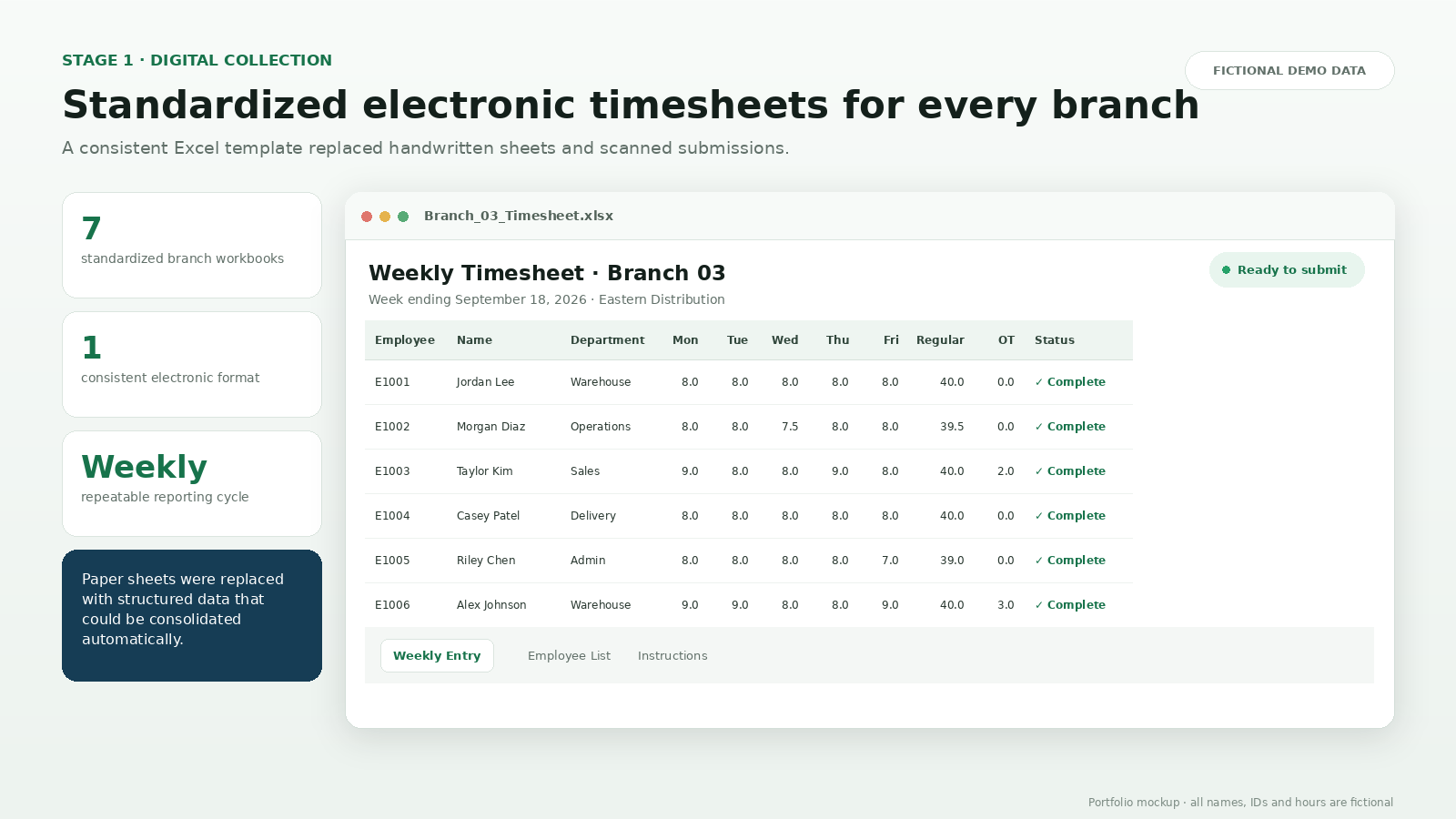
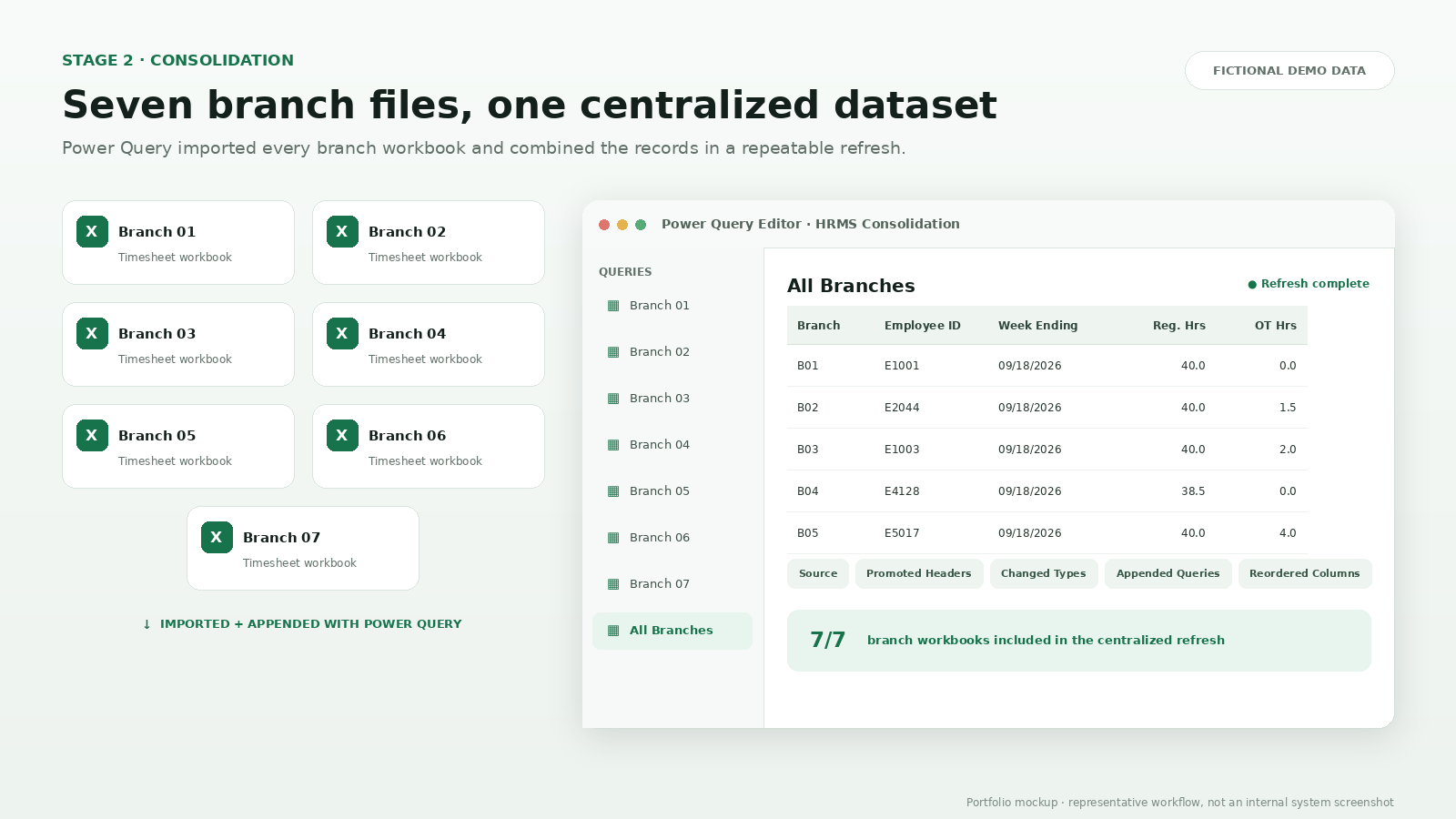
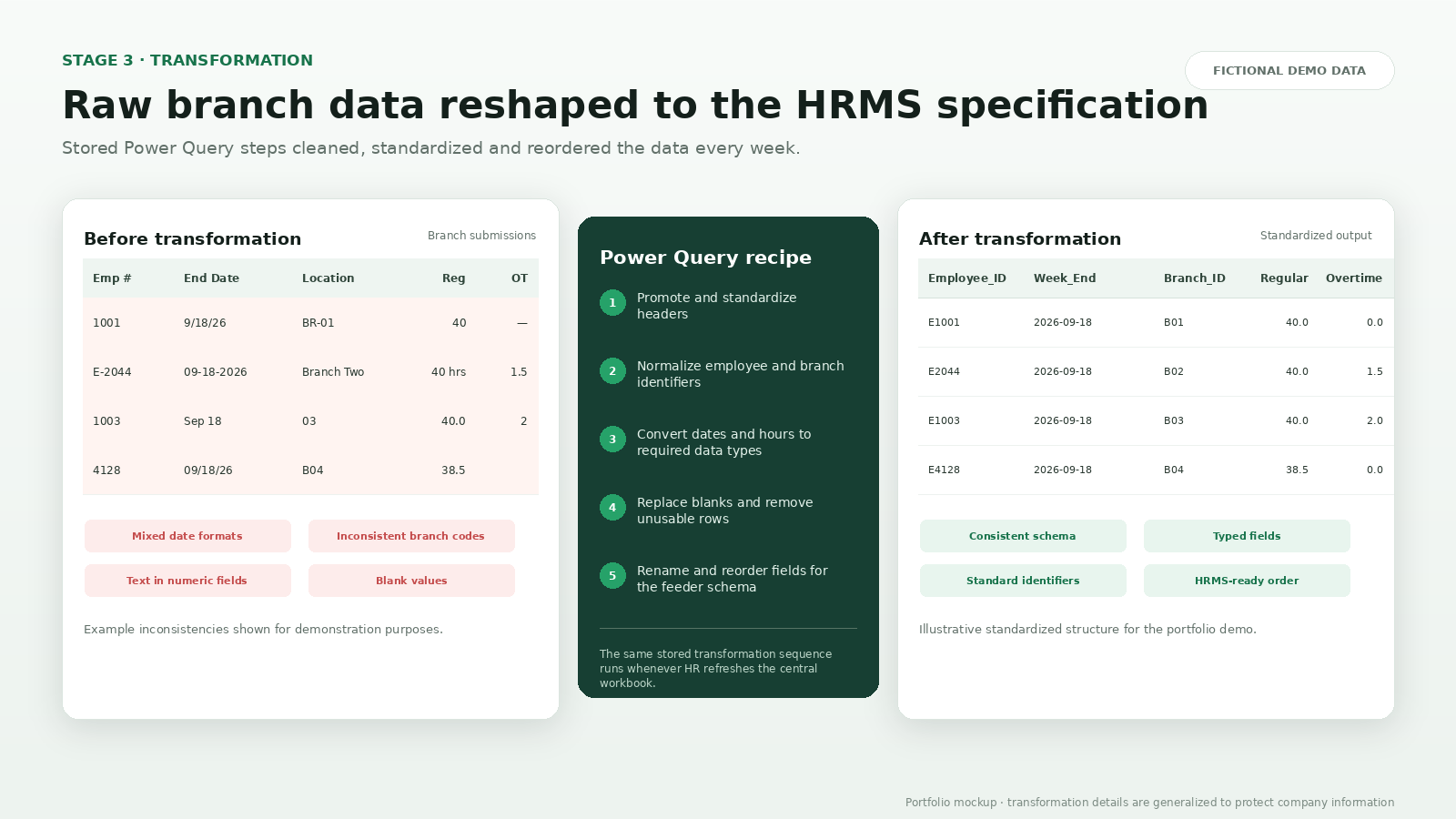
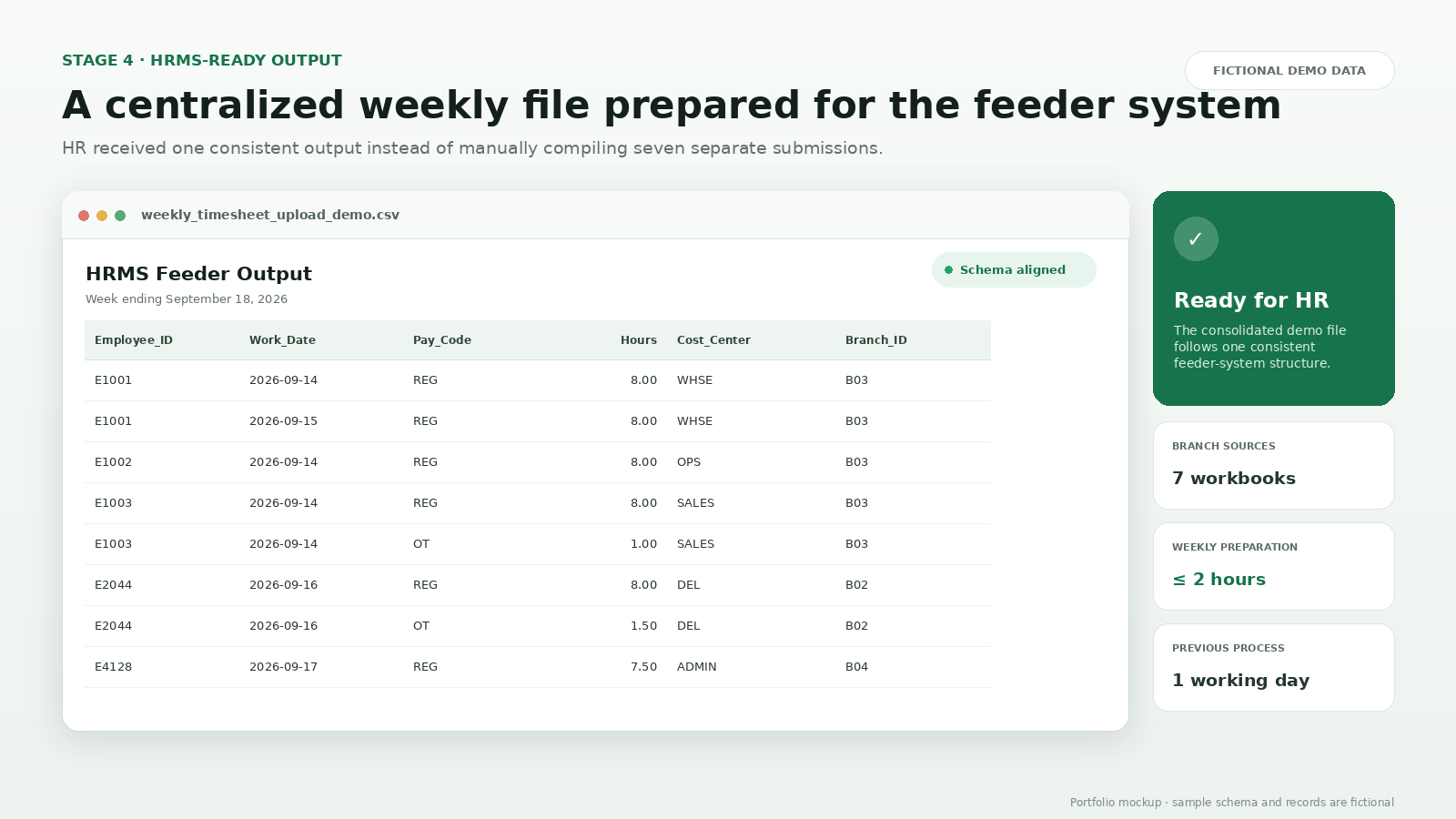
The images below recreate the process with fictional information. They demonstrate the workflow without exposing confidential employee or company data.
My contribution
Designed around the complete business process.
I was responsible for understanding the original workflow, gathering HR’s output requirements, and developing the end-to-end Excel and Power Query solution.
- Reviewed the existing timesheet submission process.
- Understood HR’s weekly reporting and feeder-system requirements.
- Designed seven standardized branch timesheet workbooks.
- Connected the branch workbooks to a centralized Excel file.
- Built the Power Query consolidation and transformation steps.
- Mapped and reordered fields to the required feeder format.
- Tested the workflow to ensure the final output was usable by HR.
Business impact
Less preparation, greater consistency.
Lessons and next steps
Automation succeeds when it fits the people using it.
This project reinforced the importance of understanding both the technical and operational sides of a business problem. Creating spreadsheets alone would not have solved the issue. The workflow also had to account for how branch administrators entered information, how HR processed submissions, and how the feeder system expected the final data to be structured.
Potential future improvements
- Automated validation for missing or incomplete timesheets
- Submission-status tracking for each branch
- Notifications for late submissions
- A dashboard for labor hours and overtime trends
- Integration with SharePoint or another centralized entry platform
This case study describes the project at a general level. All employee information, screenshots, schemas, and timesheet records shown here are fictional or anonymized. No confidential company or employee information is included.
More work
Procurement experience, strengthened by analytics.
Explore the rest of my portfolio or connect with me to discuss opportunities in procurement, supply chain, and business intelligence.